

 English
 Bangla
 Arabic
 portuguese
 French
 spanish
 chinese
 italian
 german
 dutch
dutch
 bengali
 turkish







Choosing wireless earbuds is not just about finding the cheapest pair or the model with the longest feature list. The right choice depends on how you will use them: commuting, taking calls, listening at home, exercising, gaming, or switching between several devices.
This guide explains the most important questions to ask before buying wireless earbuds, using specifications available on the product listing rather than unverified promises.
Quick answer: what matters most?
- Fit: earbuds that stay comfortable and secure are more useful than impressive specifications you cannot wear for long.
- Battery life: check the stated listening time and whether the charging case is included.
- Connection: confirm Bluetooth compatibility with your phone, tablet, or laptop.
- Calls: look for a call function or microphone information if you will use them for meetings.
- Protection: treat water-resistance claims carefully and look for a clearly stated rating where one is provided.
- Safety: keep volume at a sensible level and take breaks during long listening sessions.
1. Start with the way you will use them
A commuter may care most about a secure fit, light weight, and clear calls. Someone buying for home listening may prefer longer battery life or an over-ear design. A gamer may care about low latency, while a runner may prioritize a stable fit and resistance to sweat.
2. Choose a comfortable wearing style
Ear-clip designs
Ear-clip models can help people who dislike a fully sealed in-ear fit, but comfort is personal. Check the product images and listed wearing style, and stop using a pair if it causes pain or irritation.
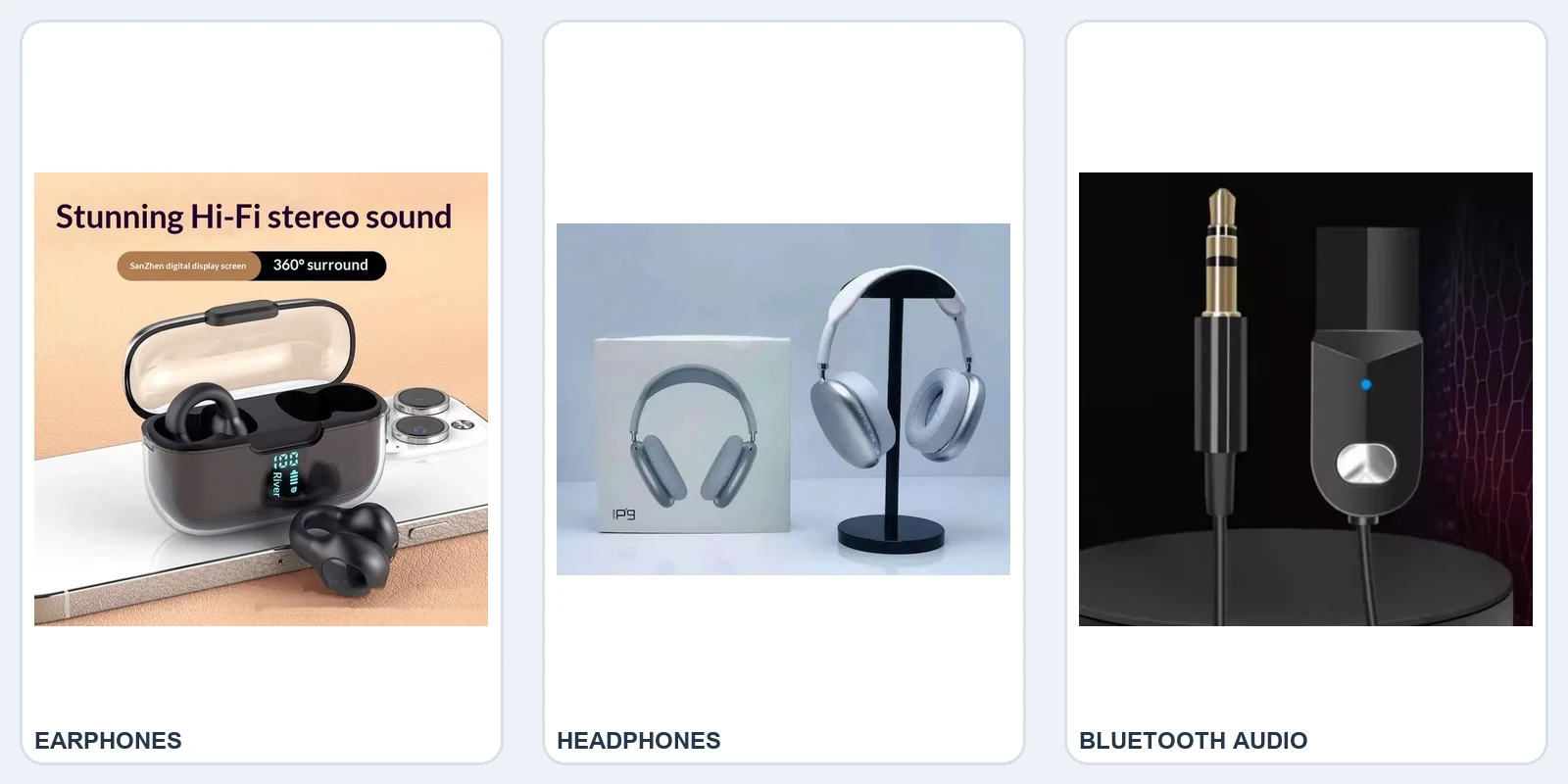
See the Ear-clip Bone Conduction Bluetooth Earphones. The listing identifies an ear-clip design, a 10-metre transmission range, call functionality, and a stated 4–8-hour battery life.
Over-ear headphones
Over-ear headphones sit around the ears instead of inside them. They are larger, but cushioned designs can be preferable for home, office, or travel use.
See the EchoWave P9 Wireless Headphones. The listing describes an over-ear cushioned design, Bluetooth connectivity, on-ear controls, and use for music, calls, and gaming.
3. Understand battery-life claims
Battery figures are estimates and can vary with volume, call use, codec, distance from the phone, and other features. Look for listening time of the earbuds, whether a charging case is included, and the charging connector. Do not confuse standby time with listening time.
4. Check Bluetooth compatibility
Most modern wireless earbuds connect through Bluetooth. Advanced features may depend on the device, operating system, or companion app. Check the stated Bluetooth version and confirm that the product supports your phone, tablet, or laptop.
For first-time Android pairing, open Bluetooth settings, choose Pair new device, select the earbuds, and follow the prompts. After pairing, the accessory may reconnect automatically when available.
5. Decide whether you need call features
If you will use earbuds for work or phone calls, look for an explicitly stated call function or microphone specification. Music quality alone does not tell you how a product will perform in a noisy street. If the listing does not state a feature, treat it as unconfirmed.
6. Consider special features carefully
Noise cancellation, low-latency gaming modes, touch controls, voice control, NFC, wireless charging, and digital displays can be useful—but only if they match your routine. More features can also mean more settings to manage.
The ear-clip model lists waterproofing, wireless charging, NFC, voice control, and low latency. Confirm the exact meaning of any water-resistance claim with the seller before exposing electronics to water.
7. Do not ignore safe listening
The World Health Organization recommends keeping listening volume below 60% of maximum and taking regular breaks. Well-fitting or noise-cancelling earbuds can reduce the temptation to turn volume up, but they do not remove the need for sensible listening habits.
- Keep volume below a level that makes conversation difficult.
- Take breaks during long listening sessions, calls, or gaming.
- Do not use damaged earbuds or charging equipment.
- Seek professional advice if you experience persistent ringing or difficulty hearing.
8. Checklist before you buy
- Is the wearing style comfortable?
- Does the stated battery life suit your day?
- Is the charging connector compatible with your cables?
- Does your device support the stated Bluetooth connection?
- Are call, microphone, low-latency, or noise-control features explicitly listed?
- Is the package content clear?
- Have you checked current price, stock, delivery, and returns?
Which type should you choose?
Choose an ear-clip model for a compact, non-traditional fit. Choose over-ear headphones for cushioned ear coverage. If you want Bluetooth audio in an older car stereo, a receiver may be more useful than new headphones.
See the Universal 3.5 mm Car Bluetooth Receiver. Its listing identifies Bluetooth 5.0, a 10-metre reception distance, and a 3.5 mm connection. Check that your vehicle stereo has the required input.
Bottom line: choose based on fit, use case, battery, compatibility, and clearly stated features—not a long list of unexplained marketing terms.



Someone recently purchased
Product Name
Just now